02 / 6
Workflow automation
Rules that route work and remind the right people, with nothing you cannot explain.
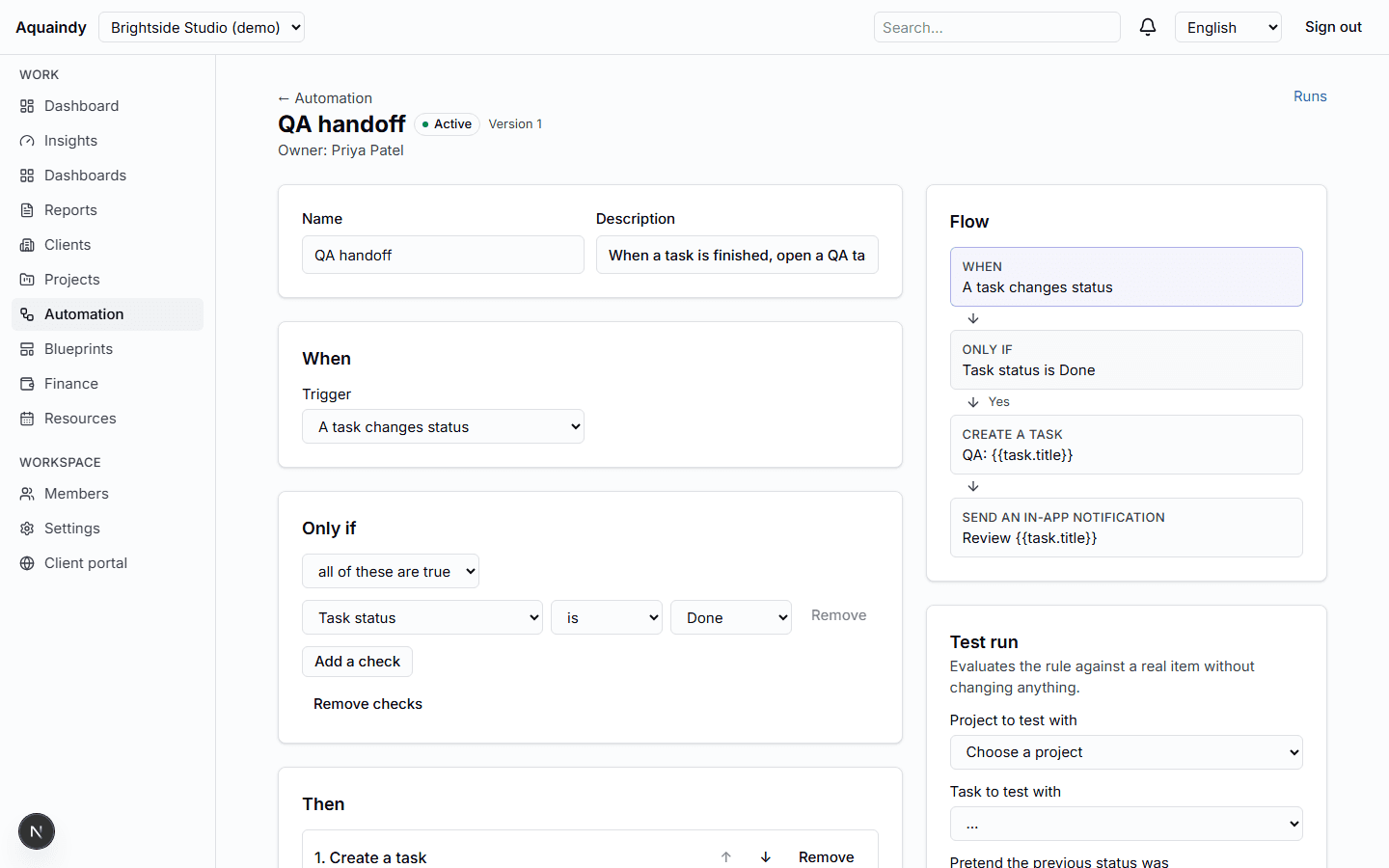
A deterministic engine: a trigger, typed conditions and a short list of safe actions. Every run keeps a snapshot of the facts it saw and a step-by-step log, so you can always say why something happened.
What it does
- Triggers for new projects, task status changes, tasks due soon or already overdue, approval decisions, client requests, schedules in your time zone, budget alerts and scheduling conflicts
- Typed conditions on status, tags, service category, assignee, due dates and budget measures, nested up to three levels
- Actions: create tasks and subtasks, move status along allowed transitions, assign, update milestones, notify in-app, send a fixed email, apply a blueprint
- Draft, publish, pause, clone and version rules; test a rule against a real record without writing anything
- Execution history with facts, log, retries, dead letters and a circuit breaker per rule
- Idempotent by construction: the same event never produces the same action twice
How it works
- 1Build a rule in the accessible form editor: one trigger, optional conditions, one or more actions.
- 2Run a dry test to see what would happen, then publish.
- 3Watch runs in the history; retry a failed one once the cause is fixed.
What it never does
- No scripts, no outbound calls, no arbitrary event names; the catalog is fixed.
- No generated text: notifications are templates with your placeholders.
- No SMS, no bulk sends; recipients are internal members, capped per run.