06 / 6
Command center
What is late, waiting, over budget or under-resourced, with the formula beside each number.
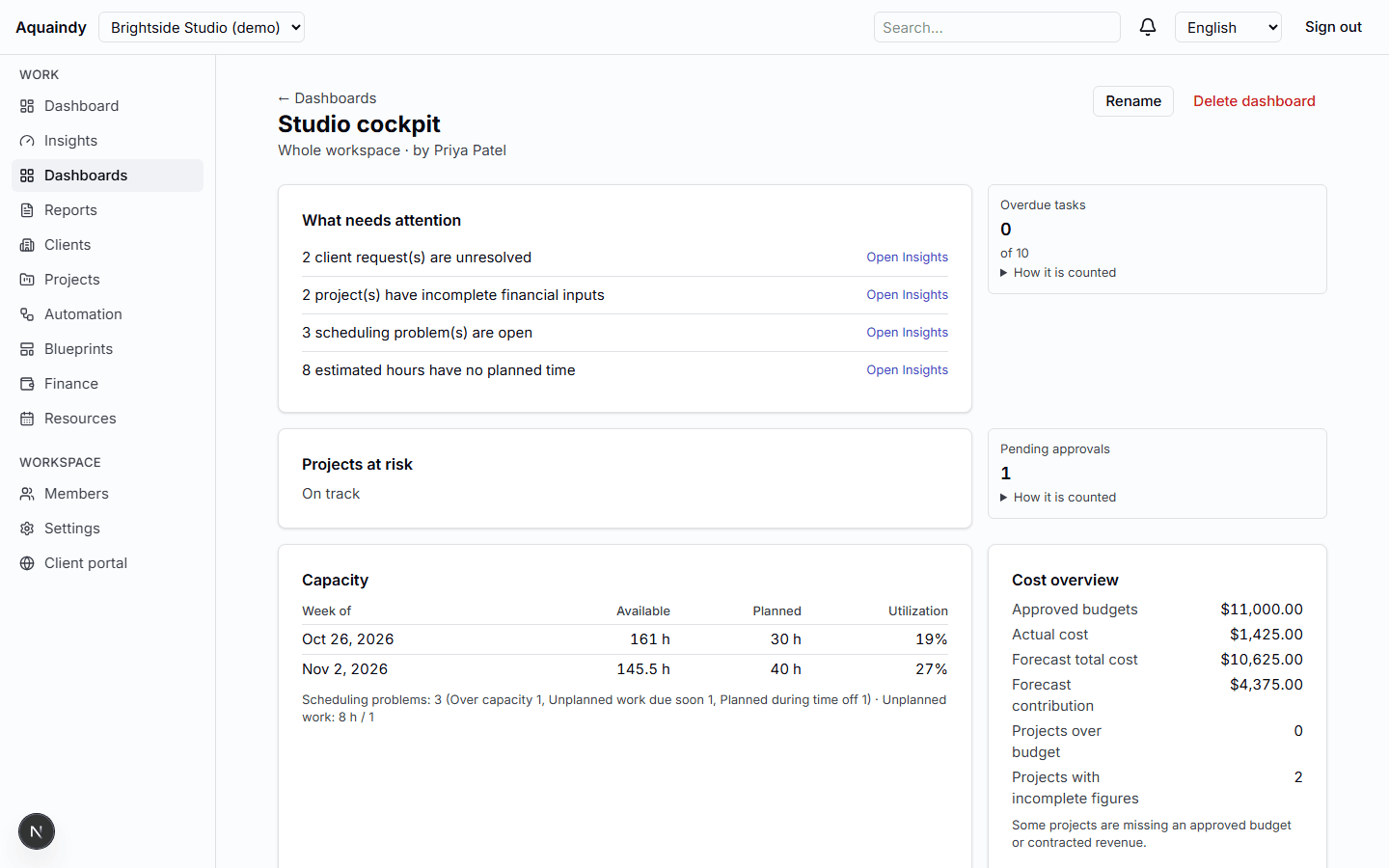
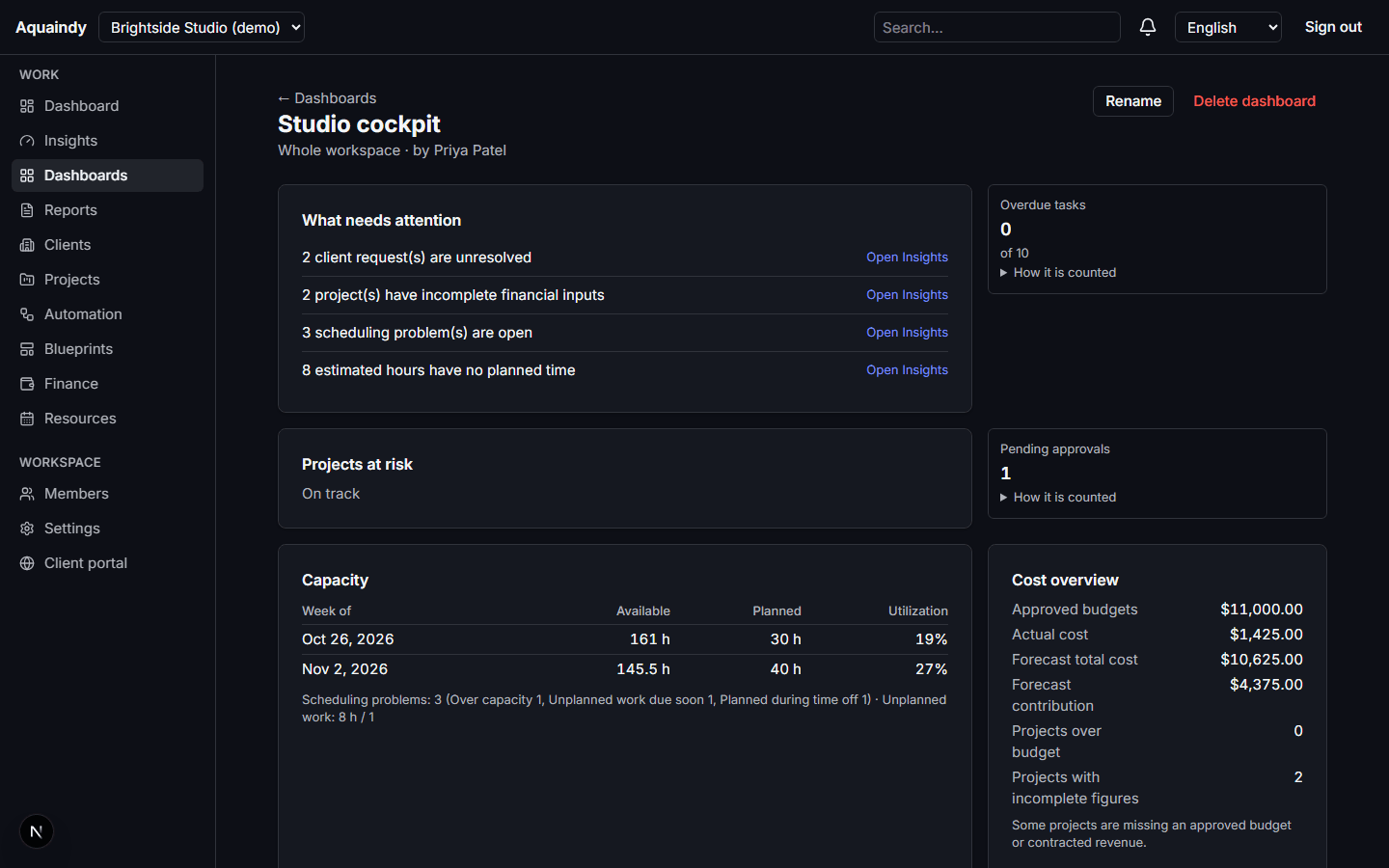
A cross-pillar cockpit: pulse tiles, what needs attention, operations health, delivery risk by a fixed rule, cost and capacity overviews gated by permission, saved dashboards and audited CSV exports. Every metric has a definition, a version and a snapshot.
What it does
- Workspace pulse: active projects, open and overdue tasks, pending approvals, unresolved requests, automation failures, delivery risk
- Operations health: projects by status, on-time milestones with numerator and denominator, average approval wait
- Insights tables for delivery, approvals and automation, sortable and filterable by client
- Cost overview and capacity panels shown only to people with the matching permission
- Private and shared dashboards built from a fixed widget list; versioned saves
- Report exports to CSV, requester-only, kept seven days, every request and download audited
- A metric catalog with formula, version and scope; daily snapshots for reconciliation
How it works
- 1Open the Overview; each tile explains how it is counted.
- 2Drill into Insights to see which projects meet the at-risk rule and why.
- 3Save a dashboard for your Monday review; export what finance needs.
What it never does
- No recommendations and no written summaries; insights are fixed sentences with numbers.
- No invented percentages: an empty denominator shows a dash.
- Finance figures never reach people without finance permission, in widgets or in exports.