Skip to content

For web and design agencies of 2 to 15 people

Run your whole agency from one workspace.

Client requests, approvals, budgets and team capacity in one place, with every figure traceable to a record.

3-day free trial. No credit card.

What changes for your agency

Six places agencies lose time and margin, and how Aquaindy closes them

Most small agencies run on email threads, a task board and a spreadsheet nobody trusts. Aquaindy replaces the gaps between them with one record of what was asked, agreed, planned, spent and delivered.

  • Client operations

    Today

    Client feedback is scattered across email, chat and calls, and nobody is sure which version was signed off.

    With Aquaindy

    Requests arrive through one portal form, and every approval is recorded against the exact file version the client saw.

    What you get: Fewer disputes about what was agreed, and a dated record you can show the client.

  • Workflow automation

    Today

    Project managers spend hours chasing status updates and reminding people about deadlines.

    With Aquaindy

    Rules you write move work along: when a task is done, open the QA task; when a deadline nears, notify its owner.

    What you get: Routine follow-up happens on time without anyone having to remember it.

  • Industry blueprints

    Today

    Every new project starts from a blank board or a copy of the last one, mistakes included.

    With Aquaindy

    Versioned templates set up milestones, tasks, roles and rules in one step.

    What you get: Projects start the same way every time, and each improvement carries into the next one.

  • ProfitGuard

    Today

    You find out a project lost money after it has finished.

    With Aquaindy

    Budgets, approved time, expenses and scope changes roll into a live forecast with alerts you set.

    What you get: Overruns show up while there is still time to re-scope or talk to the client.

  • Resource capacity

    Today

    Nobody knows who is free next week until someone is already overloaded.

    With Aquaindy

    Availability, time off and planned work sit in one calendar, and conflicts are flagged.

    What you get: The dates you promise clients match the hours your team actually has.

  • Command center

    Today

    Answering “how are we doing?” means stitching spreadsheets together every Monday.

    With Aquaindy

    A workspace pulse and dashboards are built from the records your team already keeps.

    What you get: Everyone works from the same numbers, and each one traces back to its source.

What you get on day one

6
pillars in one workspace
6
roles with permission-based access, from owner to client guest
100%
of changes written to the audit log
0
generated sentences, scores or recommendations

The six pillars

Each pillar is a real screen from the demo workspace. Together they cover the life of an engagement, from the first client request to the last invoice milestone.

01

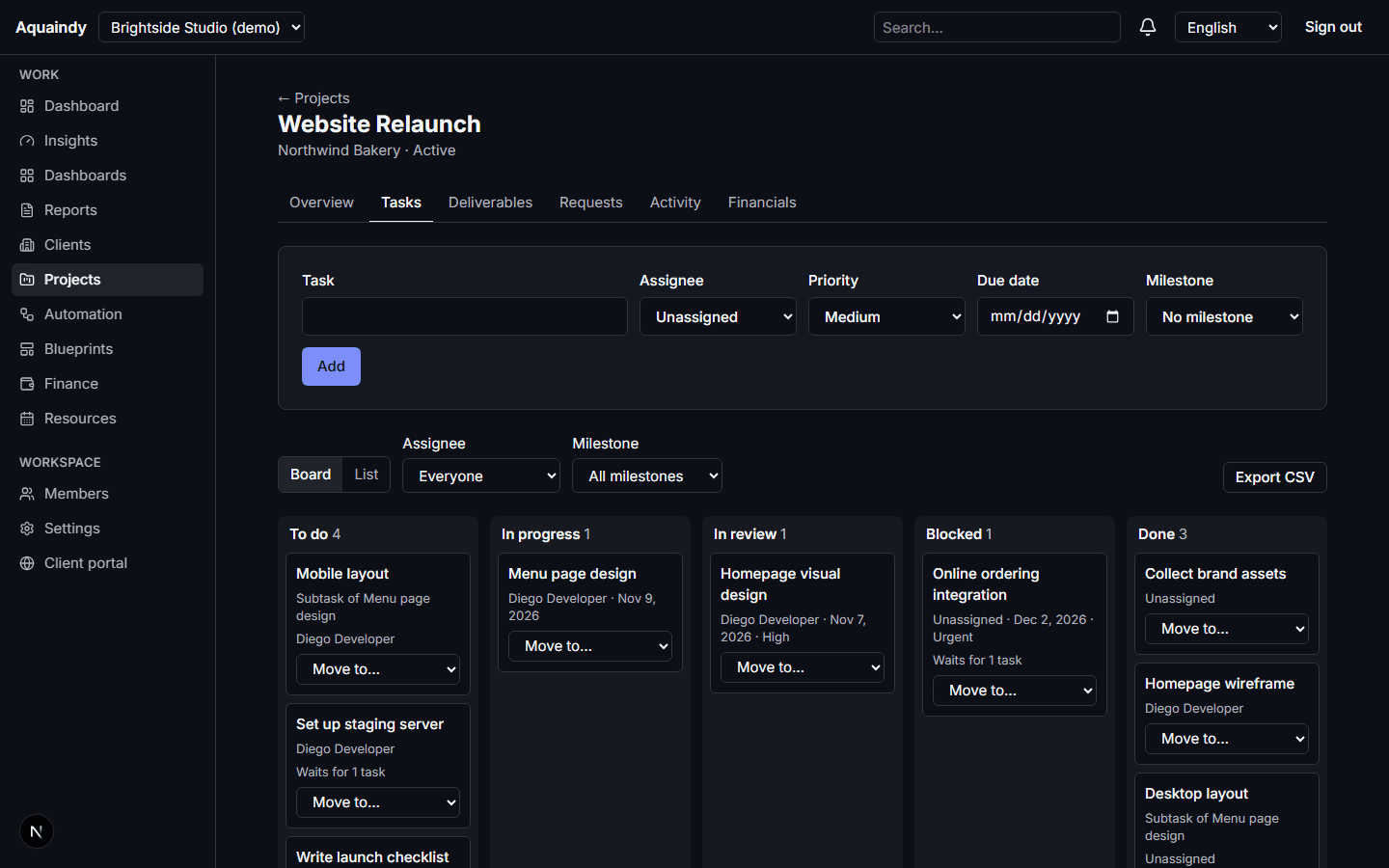
Client operations

Clients, projects, requests, deliverables and a portal your clients can trust.

  • Client records with contacts, lifecycle status, tags and up to fifteen custom fields of your own
  • Projects with service category, dates, restricted visibility and a team of leads and contributors
  • Tasks and subtasks with assignees, estimates, priorities, due dates, dependencies that refuse cycles, and milestones
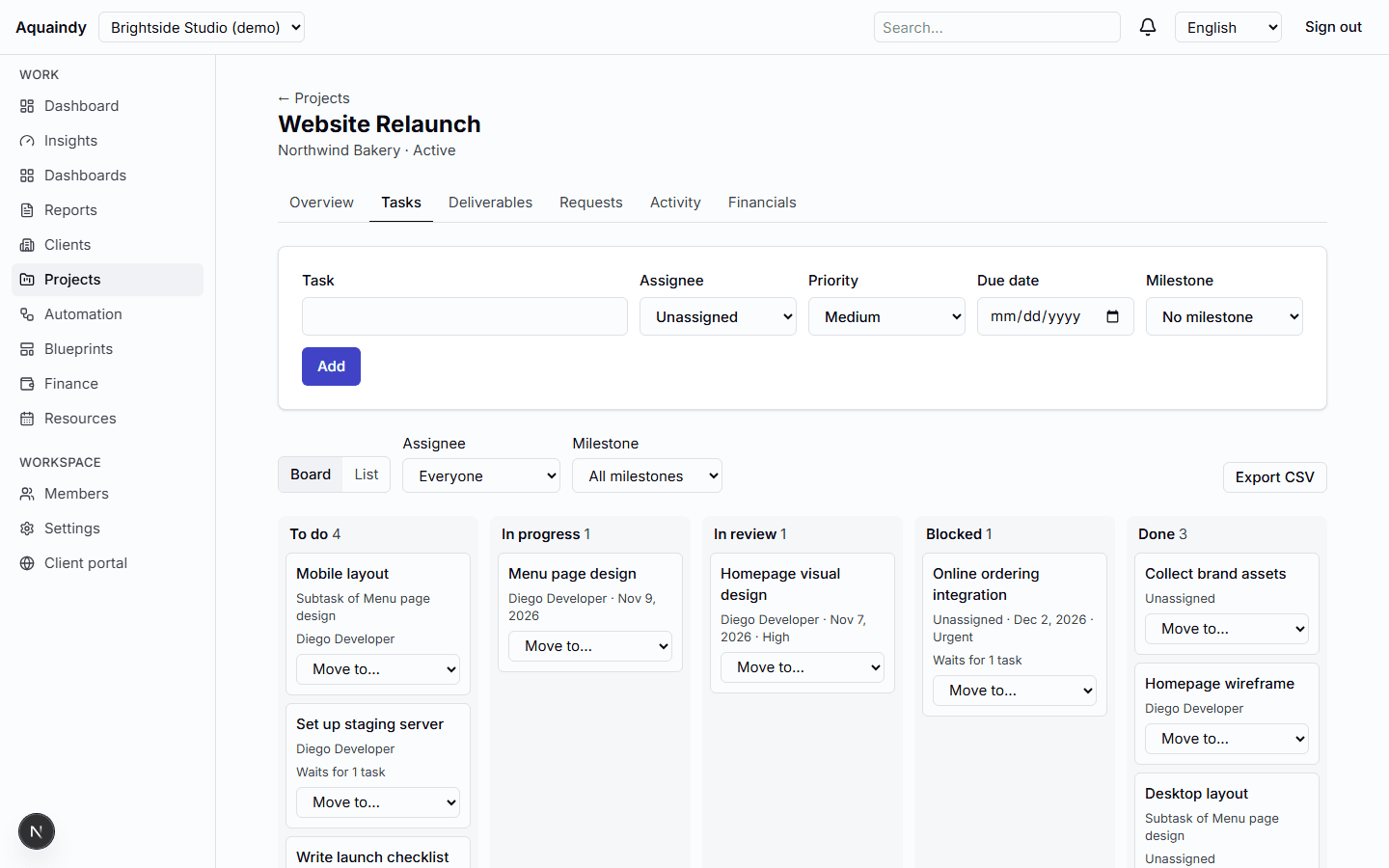
Explore Client operations
Client operations in the Aquaindy demo workspace

02

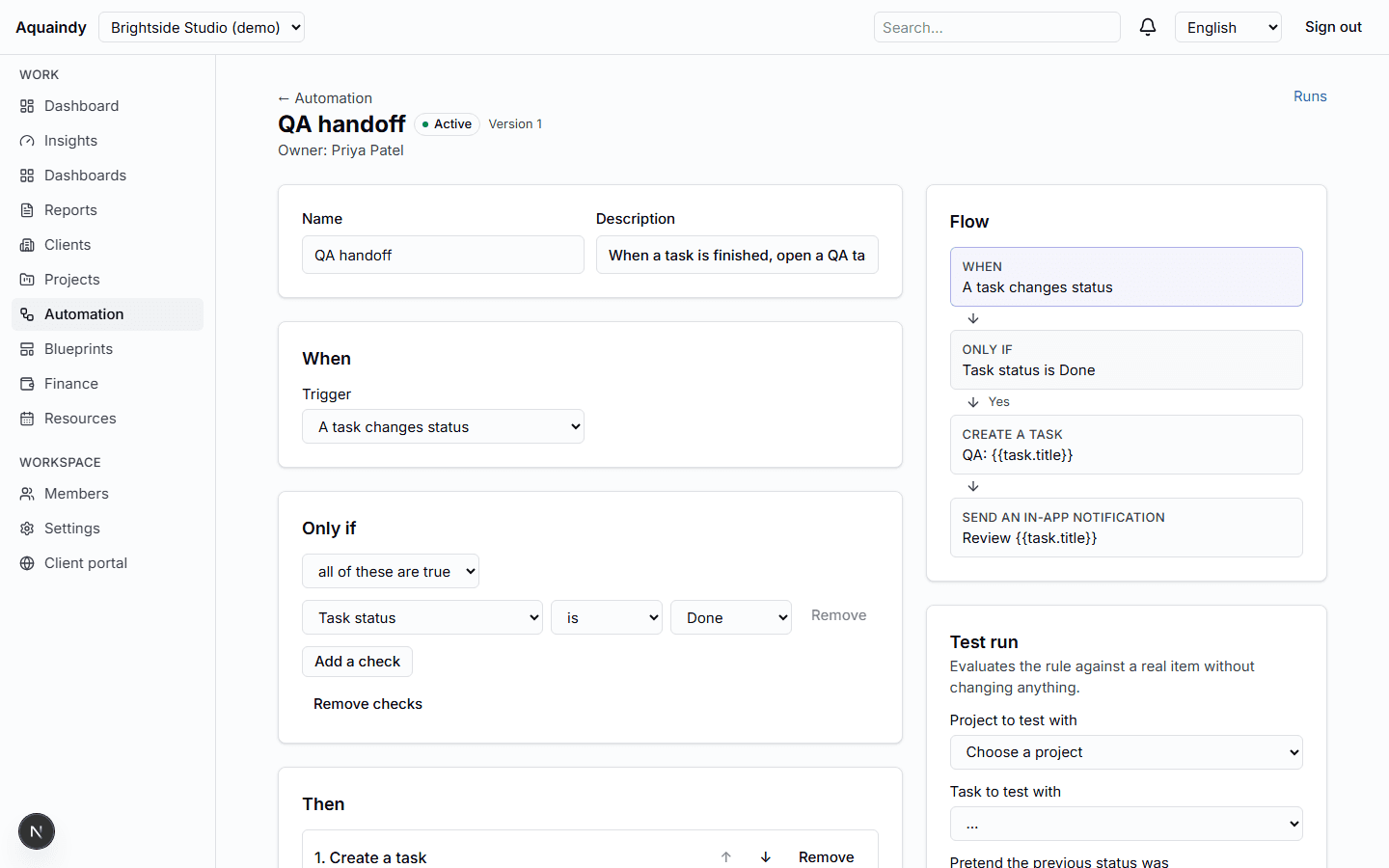
Workflow automation

Rules that route work and remind the right people, with nothing you cannot explain.

  • Triggers for new projects, task status changes, tasks due soon or already overdue, approval decisions, client requests, schedules in your time zone, budget alerts and scheduling conflicts
  • Typed conditions on status, tags, service category, assignee, due dates and budget measures, nested up to three levels
  • Actions: create tasks and subtasks, move status along allowed transitions, assign, update milestones, notify in-app, send a fixed email, apply a blueprint
Explore Workflow automation
Workflow automation in the Aquaindy demo workspace

03

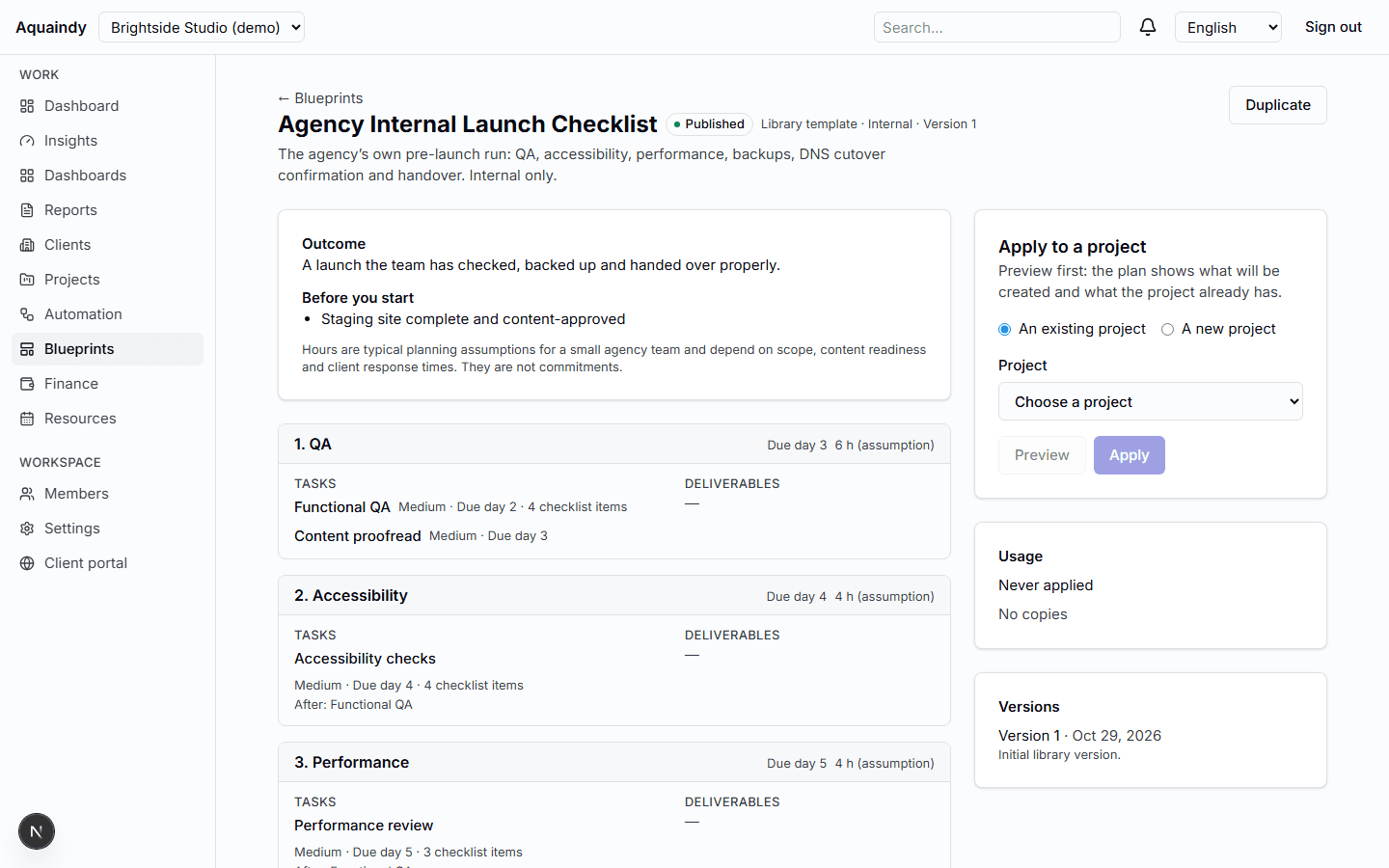
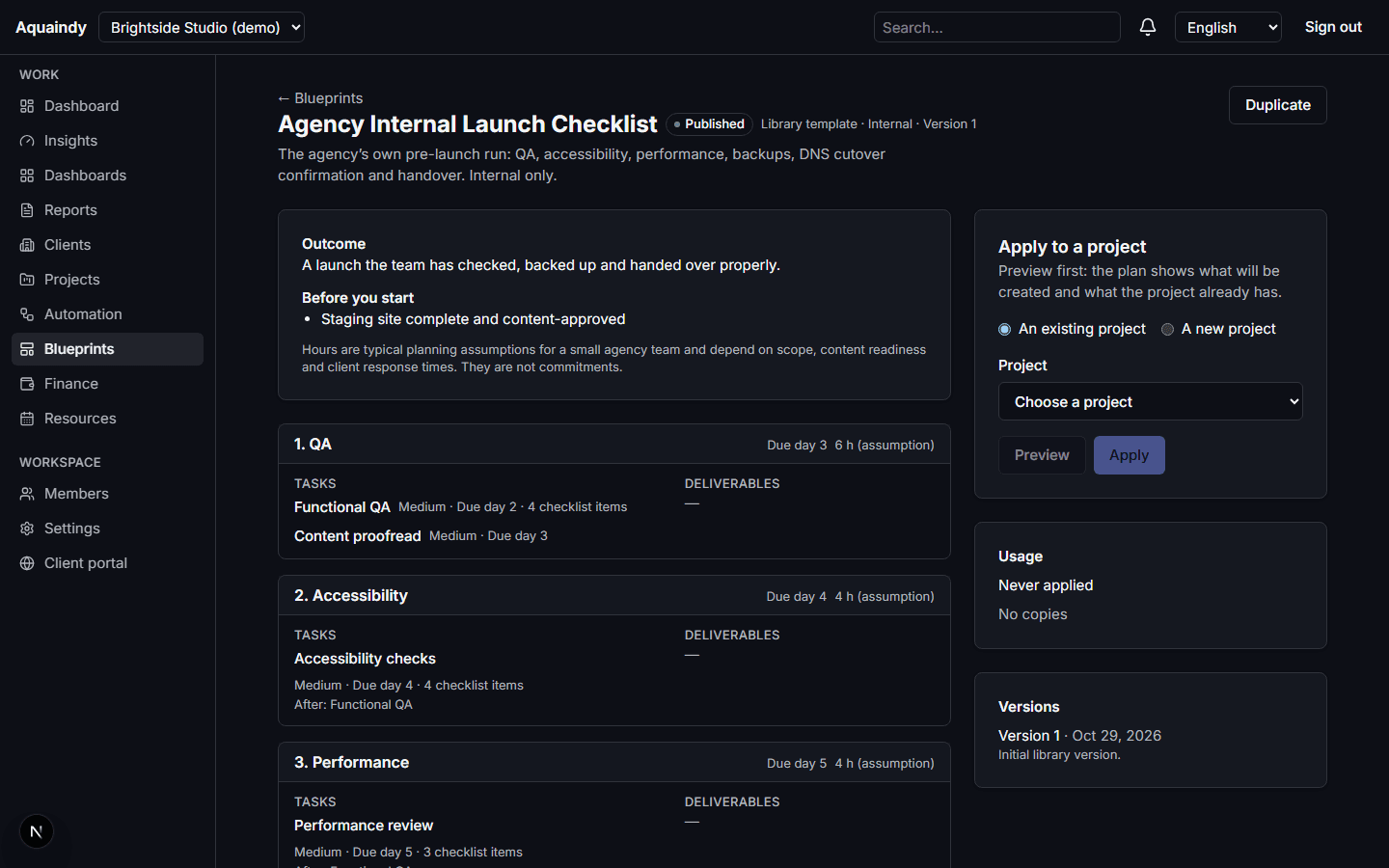
Industry blueprints

Repeatable engagements, versioned, previewed before they touch a project.

  • Library templates: Website Launch, Maintenance Retainer, Brand Design Project, Client Onboarding and an internal launch checklist
  • Stages become milestones with relative due dates; tasks carry estimates, priorities, checklists and dependencies
  • Deliverables with approval gates (how many sign-offs, from which role)
Explore Industry blueprints
Industry blueprints in the Aquaindy demo workspace

04

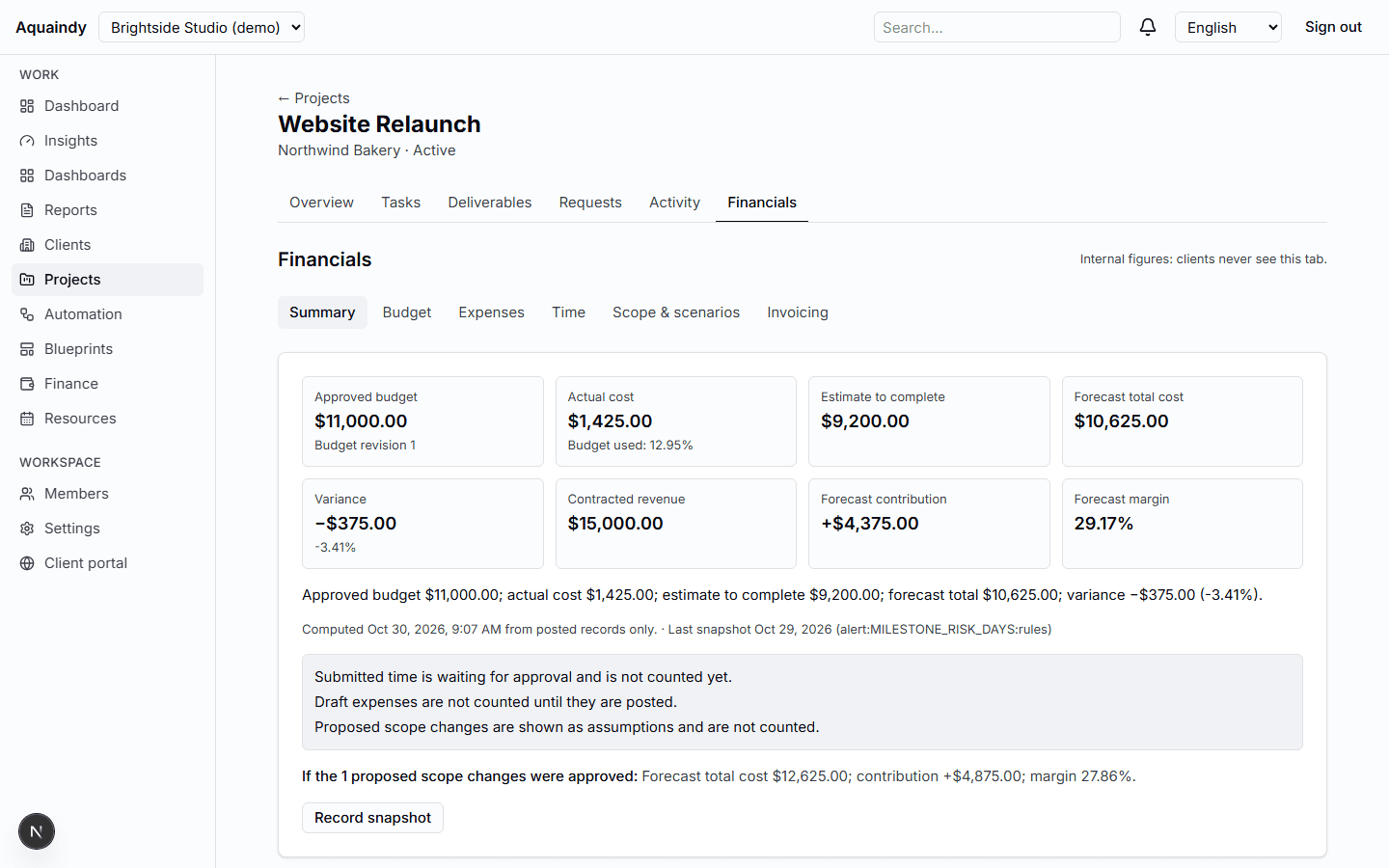
ProfitGuard

Budget against actual, forecast to completion, margin you can trace to the entry.

  • Contract value and approved cost budgets by category, revised through versions and never rewritten after approval
  • Cost rates per role or person with effective dates; approved time is costed once and frozen
  • Expenses with receipt files, categories, vendors, credits and voids; foreign currency converted with a recorded rate
Explore ProfitGuard
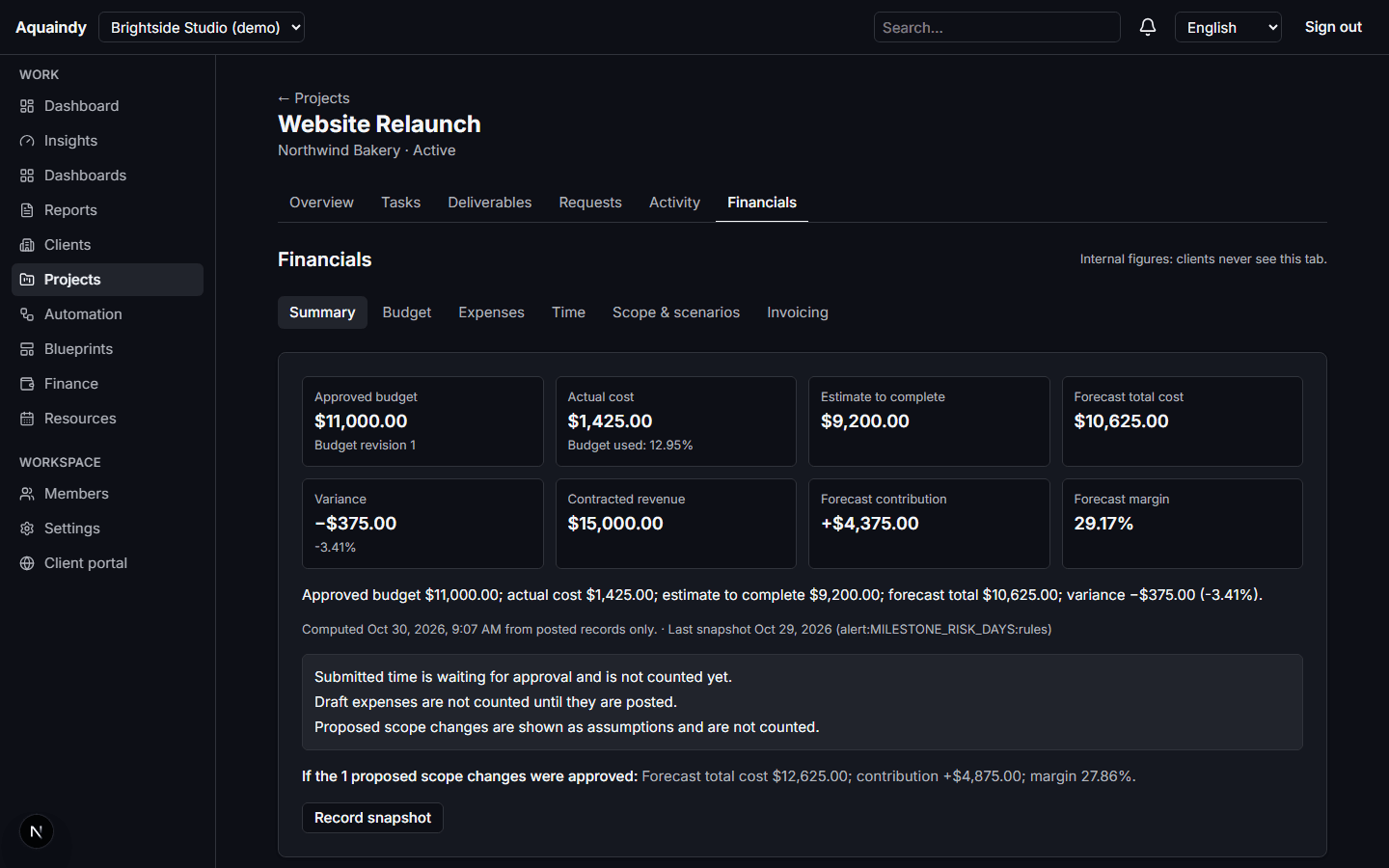
ProfitGuard in the Aquaindy demo workspace

05

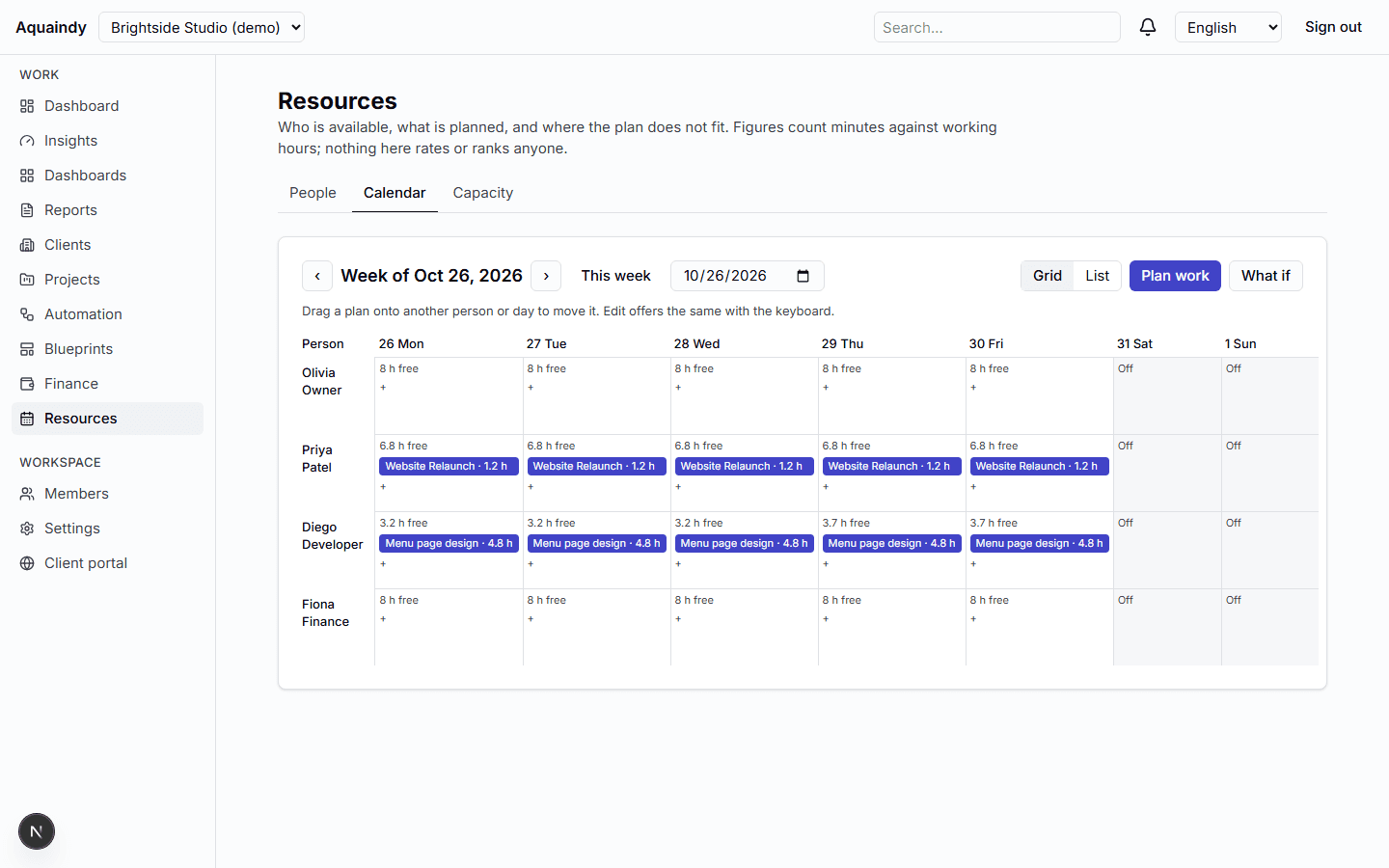
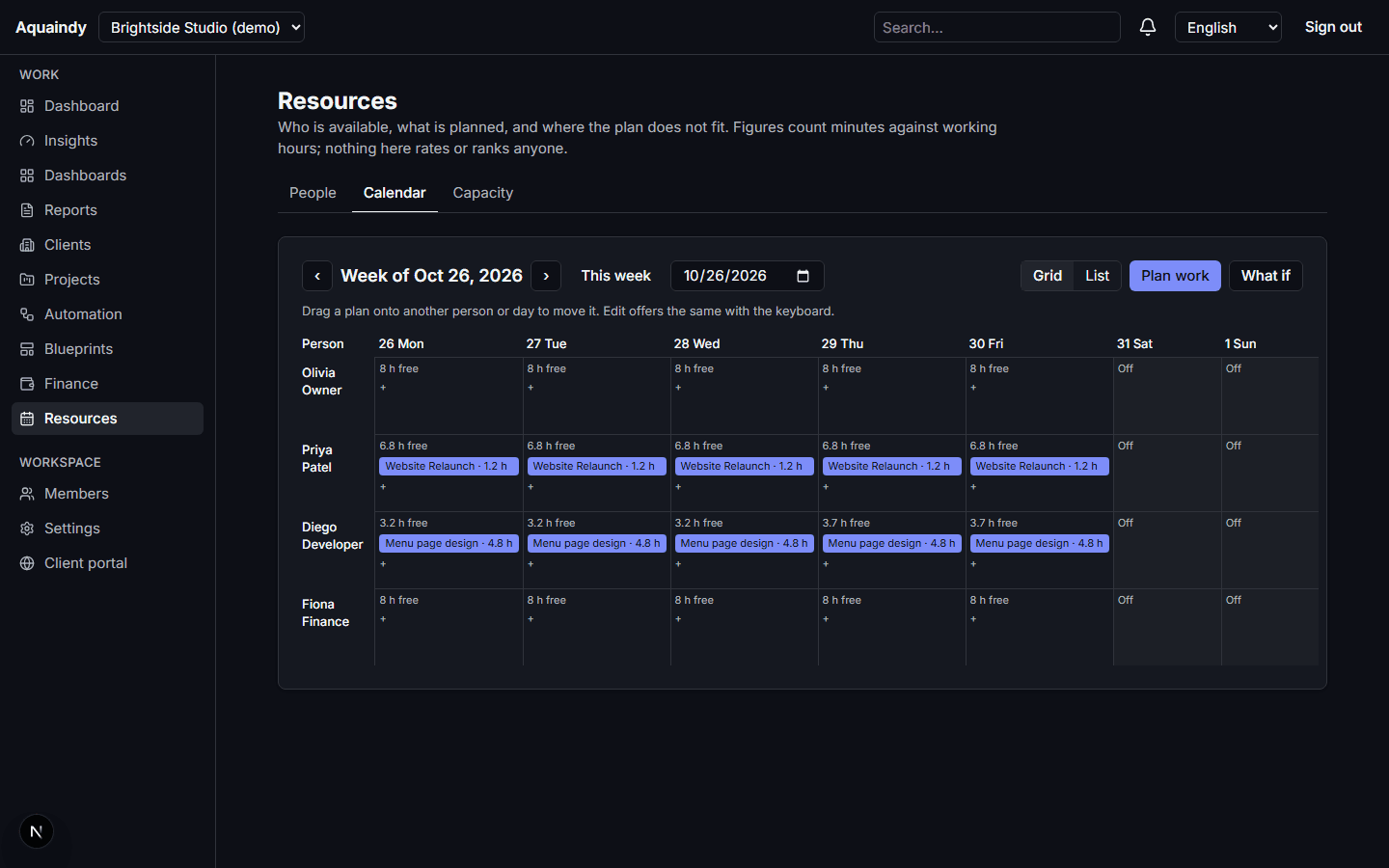
Resource capacity

Who is available, who is over capacity, which work has nobody planned.

  • Working-week templates, time zones, observed holidays and absences with categories hidden from non-managers
  • Allocations with start, end, minutes and status, linked to tasks, planned on a drag-and-drop calendar with a list alternative
  • Weekly availability and utilization per person and for the workspace, with assumptions listed
Explore Resource capacity
Resource capacity in the Aquaindy demo workspace

06

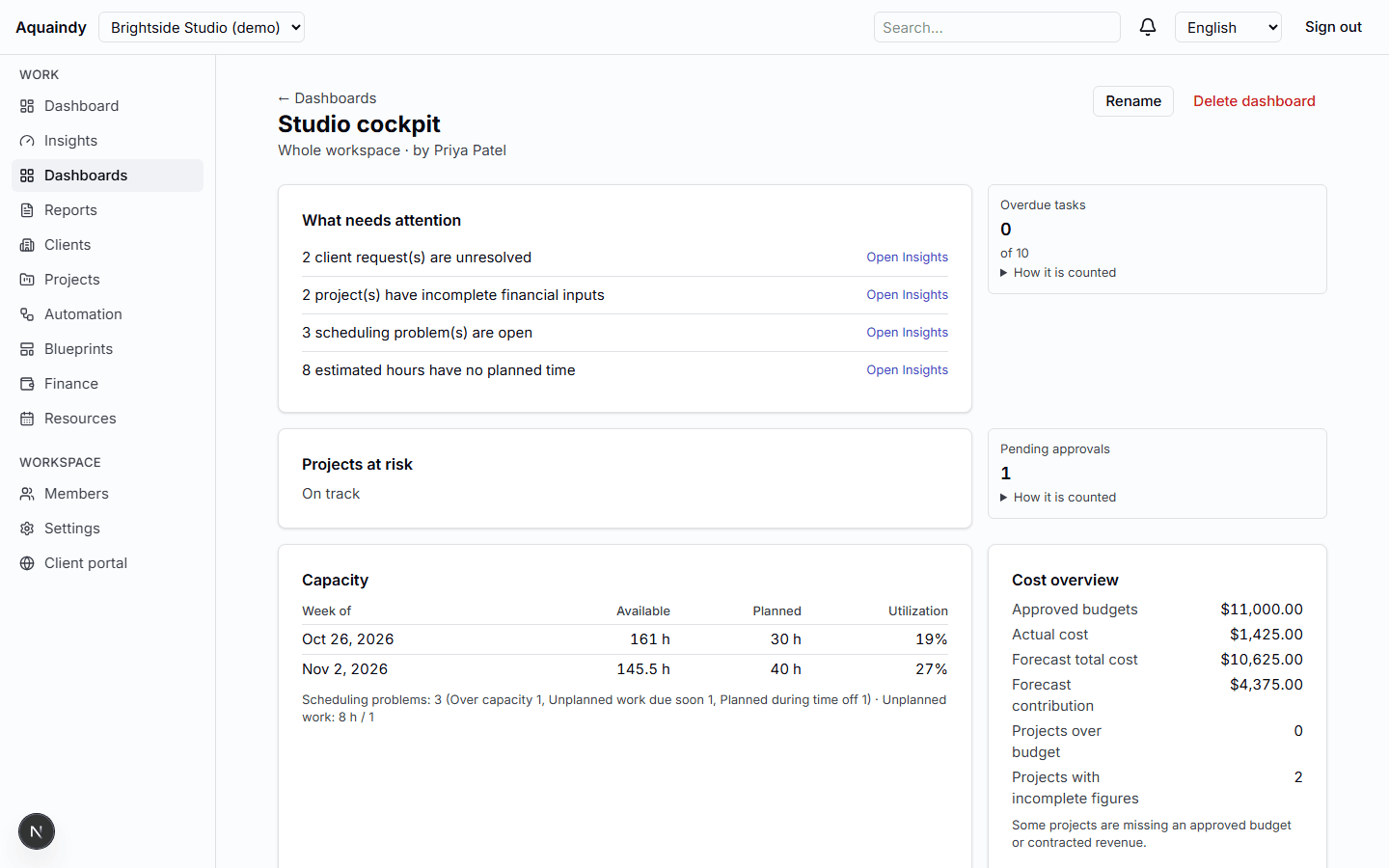
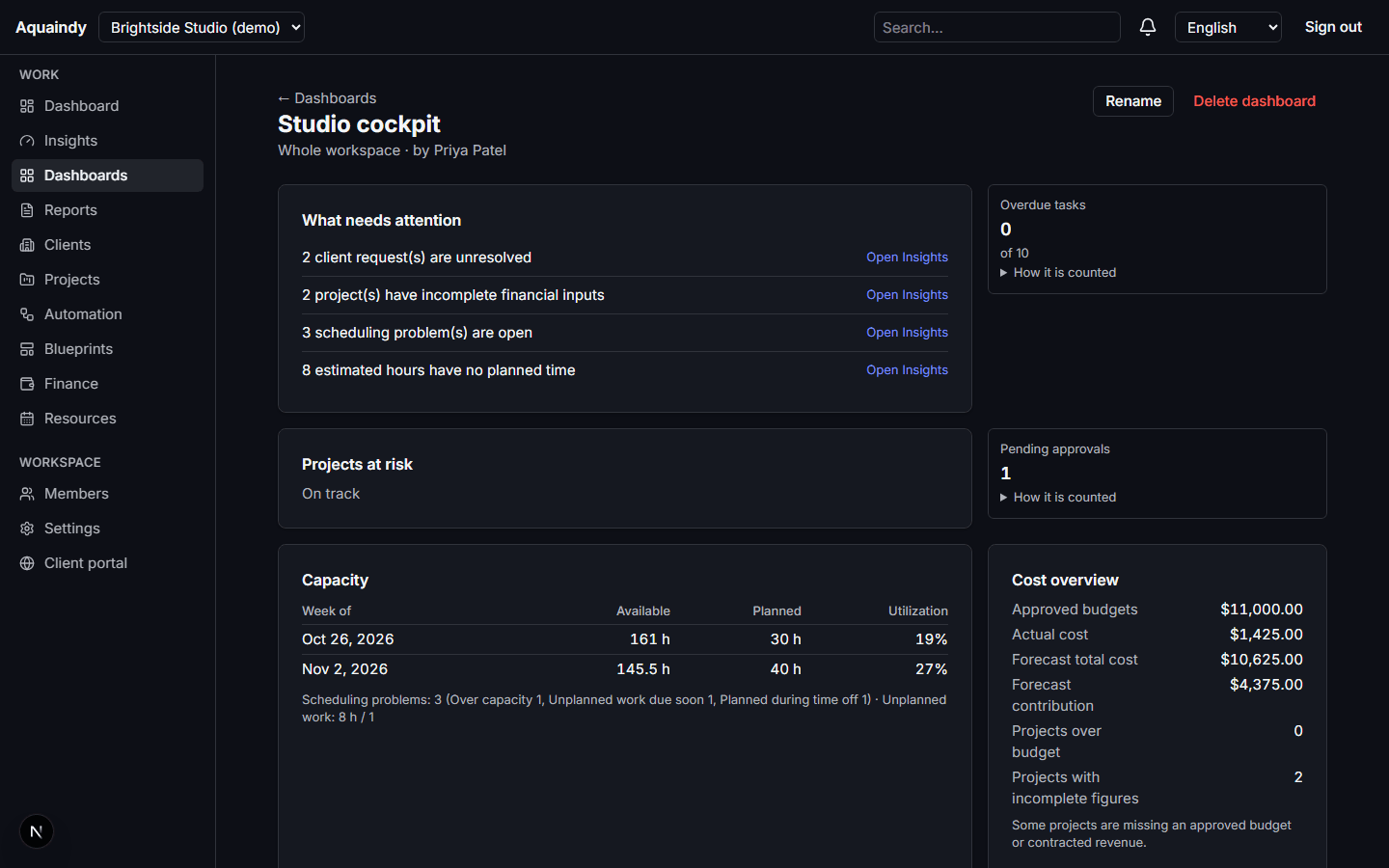
Command center

What is late, waiting, over budget or under-resourced, with the formula beside each number.

  • Workspace pulse: active projects, open and overdue tasks, pending approvals, unresolved requests, automation failures, delivery risk
  • Operations health: projects by status, on-time milestones with numerator and denominator, average approval wait
  • Insights tables for delivery, approvals and automation, sortable and filterable by client
Explore Command center
Command center in the Aquaindy demo workspace

How agencies start

A workspace is live in minutes; the pillars switch on as you need them.

  1. 1

    Create a workspace and invite the team

    Six roles, from owner to client guest. Permissions, not job titles, decide who sees costs, capacity or client data.

  2. 2

    Start a project from a blueprint

    Pick Website Launch, Maintenance Retainer or another template. Milestones, tasks, deliverables and approval gates appear in one transactional step.

  3. 3

    Invite the client to their portal

    Clients send requests, see milestones, download shared files and sign off exact deliverable versions. Internal notes and costs never cross the line.

Built to be checked, not trusted

Aquaindy is an operations tool for the agency's own records. It is not a payment processor, not an accounting system and not an advisor. Here is what that means in practice.

Security
  • Deterministic figures

    Forecasts, utilization and at-risk flags come from fixed formulas you can read next to every number. Empty denominators show a dash, never an invented percentage.

  • Strict tenancy

    Every record carries its workspace. Routes, searches, exports and background jobs re-check membership; the database rejects links across workspaces.

  • An audit trail that cannot be edited

    Approval decisions are append-only at the database level, files are fingerprinted before a sign-off counts, and every security-relevant change is logged.

  • No generative AI

    Notifications, insights and templates are fixed sentences with your numbers filled in. Nothing writes copy, ranks people or recommends a decision.

Pricing

Try everything free for 3 days, then choose Starter, Studio or Agency. Every price is on the pricing page.

See pricing

Questions agencies ask

Is there any AI in Aquaindy?

No generative AI. Automation is a rule engine with typed triggers, conditions and actions. Insights are templates with your figures. We may add non-generative statistics later, with their limits documented.

Does Aquaindy handle client payments or invoicing?

No. ProfitGuard tracks your own project costs, budgets and forecasts, and keeps an information-only ledger of invoice milestones. Money never moves through Aquaindy.

What can my clients see?

Only what you share: portal-visible projects and milestones, shared deliverable versions, their own requests and shared comments. Never internal notes, cost rates, capacity or other clients.

Where is my data and can I take it out?

Your workspace lives in a managed PostgreSQL database and private object storage. Every list exports to CSV, and owners can download a full workspace export from Settings.

What does it cost?

Every workspace starts with a 3-day free trial of everything. After that, Starter is for one person, and Studio and Agency are priced per seat. Current prices are on the pricing page.

Start your free trial

Five internal seats, ten active projects and five gigabytes of storage, with every pillar switched on.

Start a 3-day free trial
Aquaindy